
Disable Solar Inverters on Negative Prices
The Rise of Negative Energy Prices
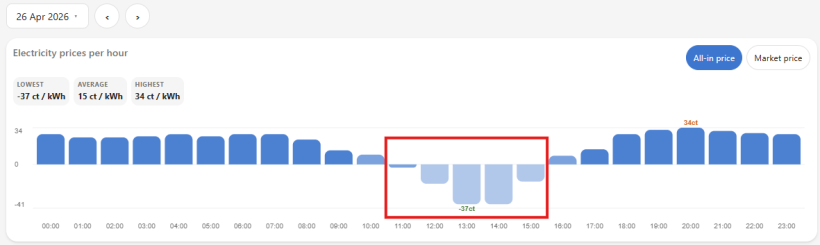
Europe's renewable energy boom is reshaping the grid. Just five years ago, negative energy prices were rare. Today, it happens hundreds of hours per year—and the trend is accelerating.
Here's why: On sunny days with low demand (think Sunday afternoons or public holidays), solar panels across the continent pump so much cheap electricity into the grid that it becomes worthless. Too much supply, nowhere to go. The price collapses—sometimes to -47 cents per kWh. The grid literally pays you to take power.
When evening comes and solar generation drops, gas plants must restart. Suddenly that same electricity costs 10× more. These extremes are happening more frequently.
The opportunity: With dynamic energy contracts, your inverter can now make smarter choices. During negative price hours, shutting it down isn't a loss—it's a win. You're getting paid to buy cheap grid power instead of selling your own at negative rates. Your inverters return to full capacity when prices swing positive again.
This automation handles it all automatically.
Controlling the inverters
SolarEdge Modbus
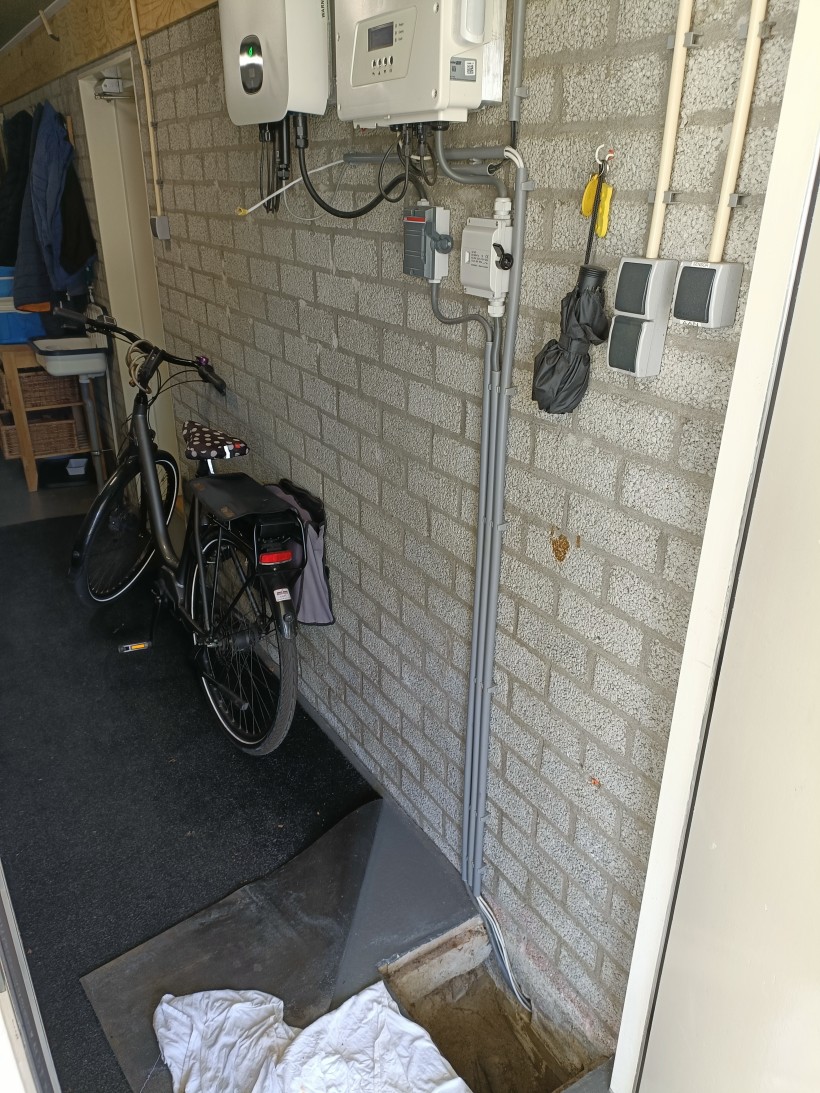
The SolarEdge inverters is connected via Ethernet to the home LAN. This allows for easy local control via Modbus TCP.
I was already using this custom integration for modbus communication with the SolarEdge inverter: https://github.com/binsentsu/home-assistant-solaredge-modbus. However I did not have power control over the inverter. All that had to be changed, was enabling power control for the integration: "power_control":true in the file home-assistant/.storage/core.config_entries
Growatt Modbus
The Growatt inverter was a bit more difficult. It came with a ShineLAN stick, that is connected to a USB port on the inverter. This ShineLAN stick has READ access only and can not control the inverter output. We therefore had to make our own communication with the inverter and connect to the SYS COM port of the inverter, which requires a special connector. Luckily, the installation company that installed our heat pump together with the solar panels were coming for a checkup, and they brought this connector with them free of charge.
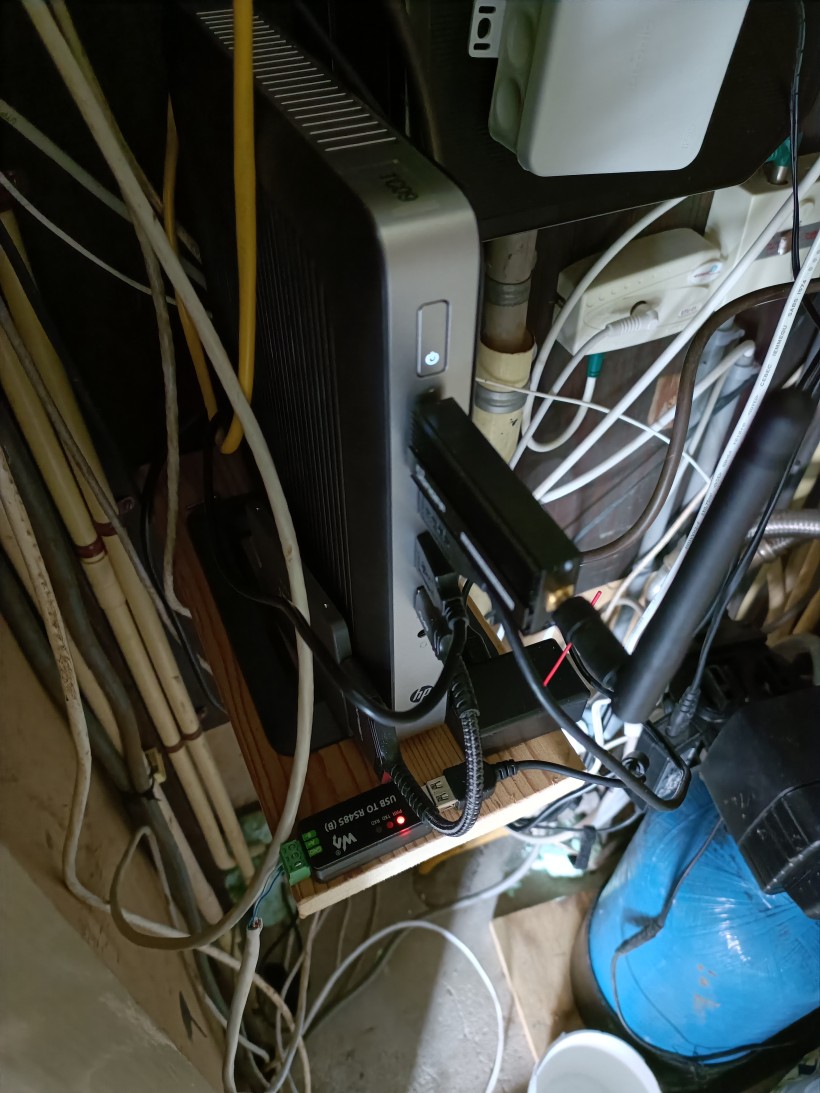
For this modbus communication between the Home Assistant server and the Growatt inverter (MIN 4600 TL-X), the following components were used:
- Growatt COM connector (8 pins)
- Waveshare RS485 to USB
- UTP cable (stripped and only using a single pair of twisted wires)
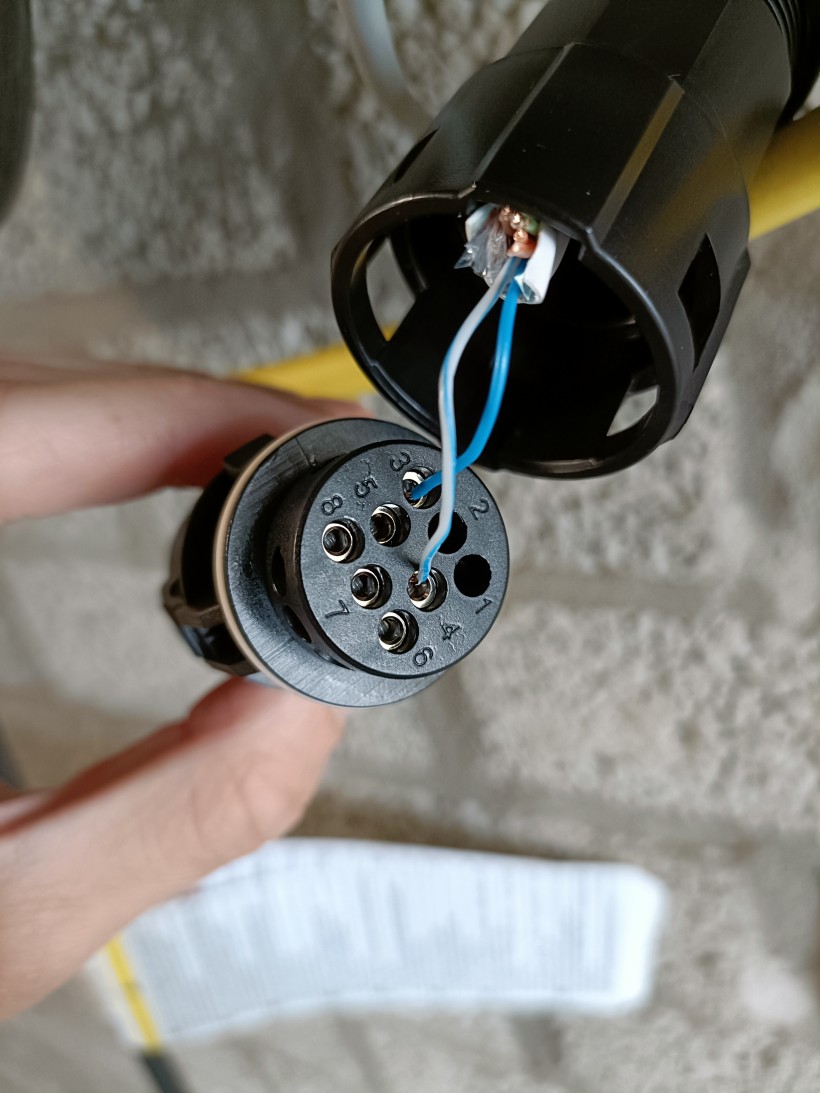
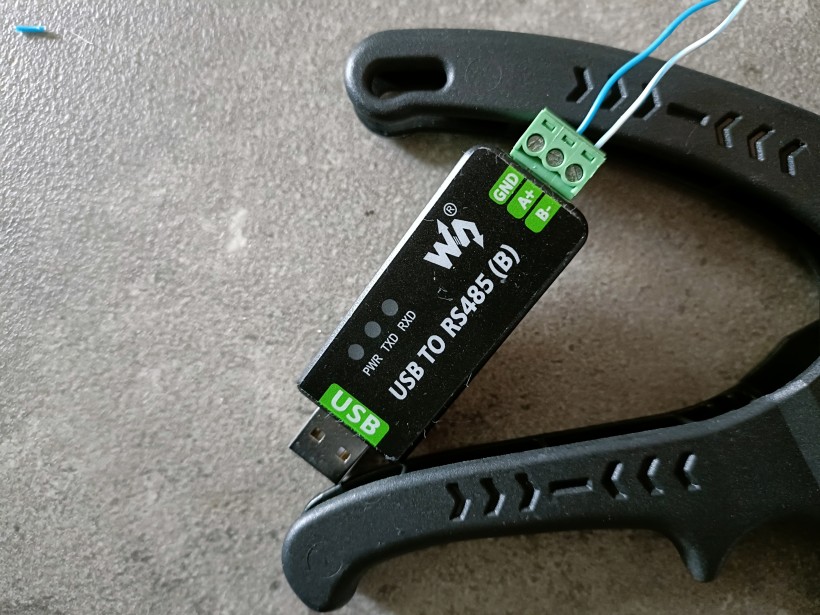
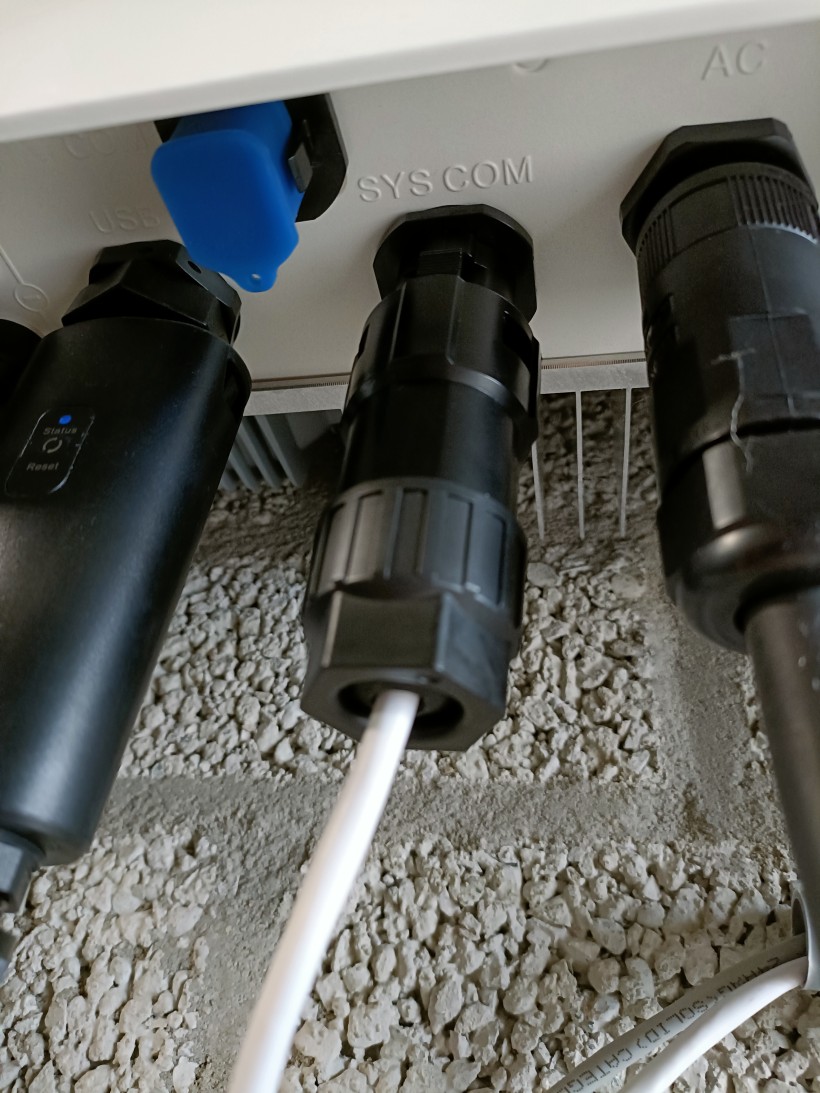
On the Home Assistant server (Ubuntu), make sure the Waveshare USB adapter is recognized:
bram@hpt630:~/home-assistant$ ls -l /dev/serial/by-id/
total 0
lrwxrwxrwx 1 root root 13 May 13 16:17 usb-1a86_USB_Single_Serial_5A99023603-if00 -> ../../ttyACM0
lrwxrwxrwx 1 root root 13 May 13 16:15 usb-Espressif_USB_JTAG_serial_debug_unit_D8:3B:DA:E6:DE:14-if00 -> ../../ttyACM2
lrwxrwxrwx 1 root root 13 Mar 31 14:56 usb-ITead_Sonoff_Zigbee_3.0_USB_Dongle_Plus_d673052c0ed9eb11b4440a15b9da5f8b-if00-port0 -> ../../ttyUSB0
Its the usb-1a86_USB_Single_Serial_5A99023603-if00 -> ../../ttyACM0
Since I am running Home Assistant within a Docker container, make sure the USB device is accessible within the container!
Growatt Modbus Custom Integration for Home Assistant: https://github.com/0xAHA/Growatt_ModbusTCP
Before using modbus, I used the ShineLAN stick together with the software: Grott (running in a Docker container) to be able to read data from the inverter (live AC power and total energy generated). The grott software is replacing a cloud server where the ShineLAN stick usually sends data to. Via the web interface of the ShineLAN stick, you can enter the IP address of the server. Then data of the inverter is then published over MQTT, which Home Assistant is subscribed to.
Currently we still use the Grott to read energy and power data from the inverter in Home Assistant. And only use the Modbus integration for the power output control.
Inverter Dynamic Price Control Automation
Automatically disables two solar inverters when energy prices turn negative and re-enables them at 100% when prices go positive.
How It Works
- Trigger: Price change from
sensor.energyzero_all_in_current_price - When price < €0/kWh: Sets both inverters to 0% (disabled)
- When price > €0/kWh: Sets both inverters to 100% (enabled)
Entities Controlled
| Entity | Device | Control |
|---|---|---|
number.growatt_max_output_power_rate |
Growatt Inverter | Power output % |
number.solaredge_active_power_limit |
SolarEdge Inverter | Power limit % |
YAML Configuration
- id: inverter_dynamic_price_control
  alias: Inverters - Dynamic Price Control
  description: Disable inverters when energy prices are negative, enable at 100% when positive
  trigger:
    - platform: state
      entity_id: sensor.energyzero_all_in_current_price
  action:
    - choose:
        - conditions:
            - condition: numeric_state
              entity_id: sensor.energyzero_all_in_current_price
              below: 0
          sequence:
            - action: number.set_value
              target:
                entity_id: number.growatt_max_output_power_rate
              data:
                value: 0
            - action: number.set_value
              target:
                entity_id: number.solaredge_active_power_limit
              data:
                value: 0
        - conditions:
            - condition: numeric_state
              entity_id: sensor.energyzero_all_in_current_price
              above: 0
          sequence:
            - action: number.set_value
              target:
                entity_id: number.growatt_max_output_power_rate
              data:
                value: 100
            - action: number.set_value
              target:
                entity_id: number.solaredge_active_power_limit
              data:
                value: 100
  mode: single
Requirements
- Energyzero integration (price sensor)
- Growatt Modbus integration
- SolarEdge Modbus integration