Custom Serial Companion for Repeater telemetry on Home Assistant
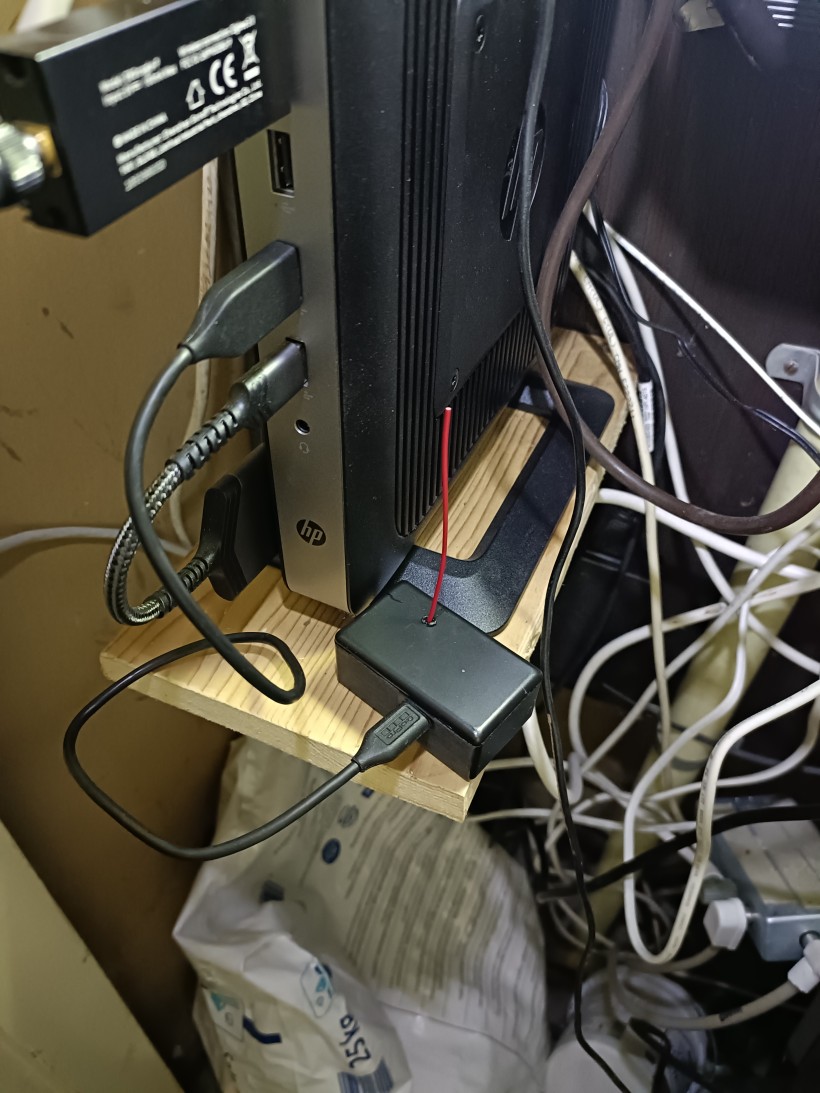
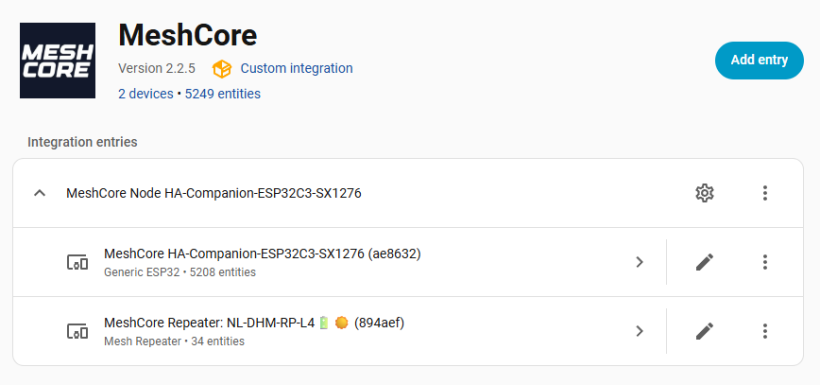
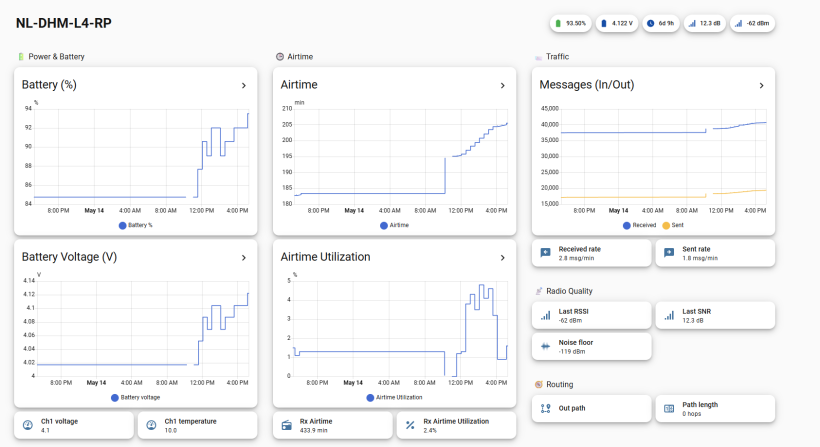
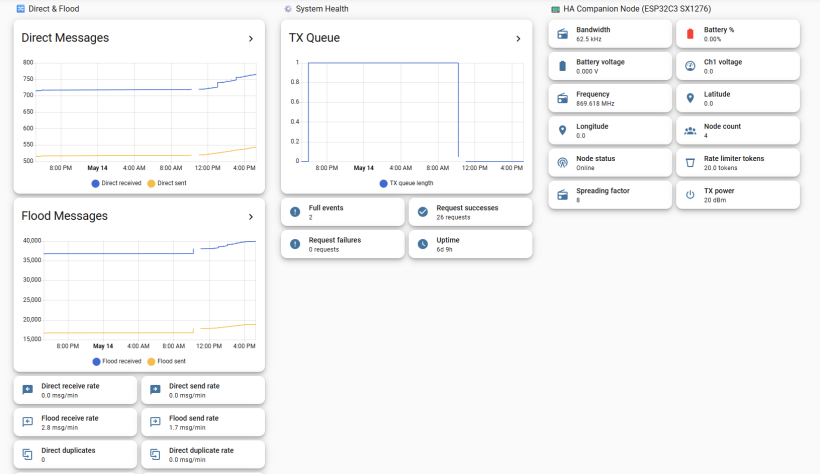
To be able to monitor my repeater, I have installed a Meshcore serial companion radio to my Home Assistant server. I have used the following custom integration via HACS, to be able to communicate with the serial companion over USB. Using this integration, you can also configure the serial companion to read out the telemetry of a nearby repeater.
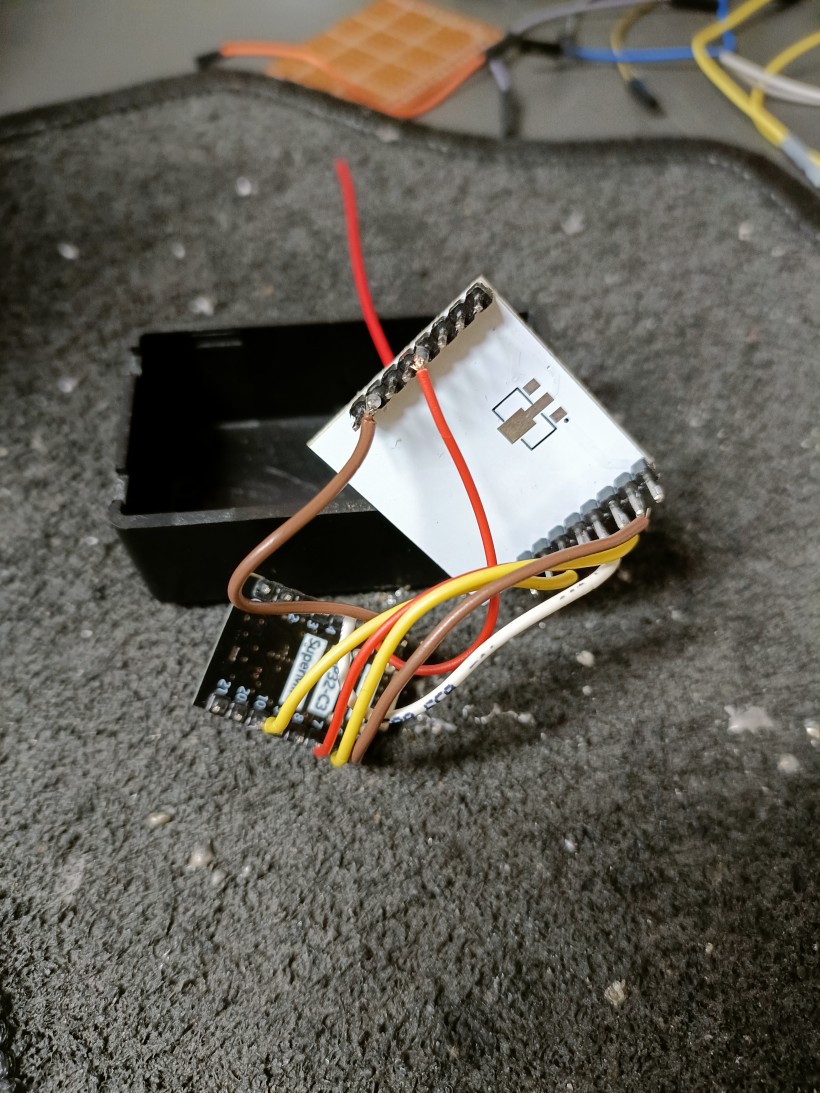
The serial companion is build from an ESP32-C3 SuperMini and an older RFM95W (SX1276) radio I had lying around.
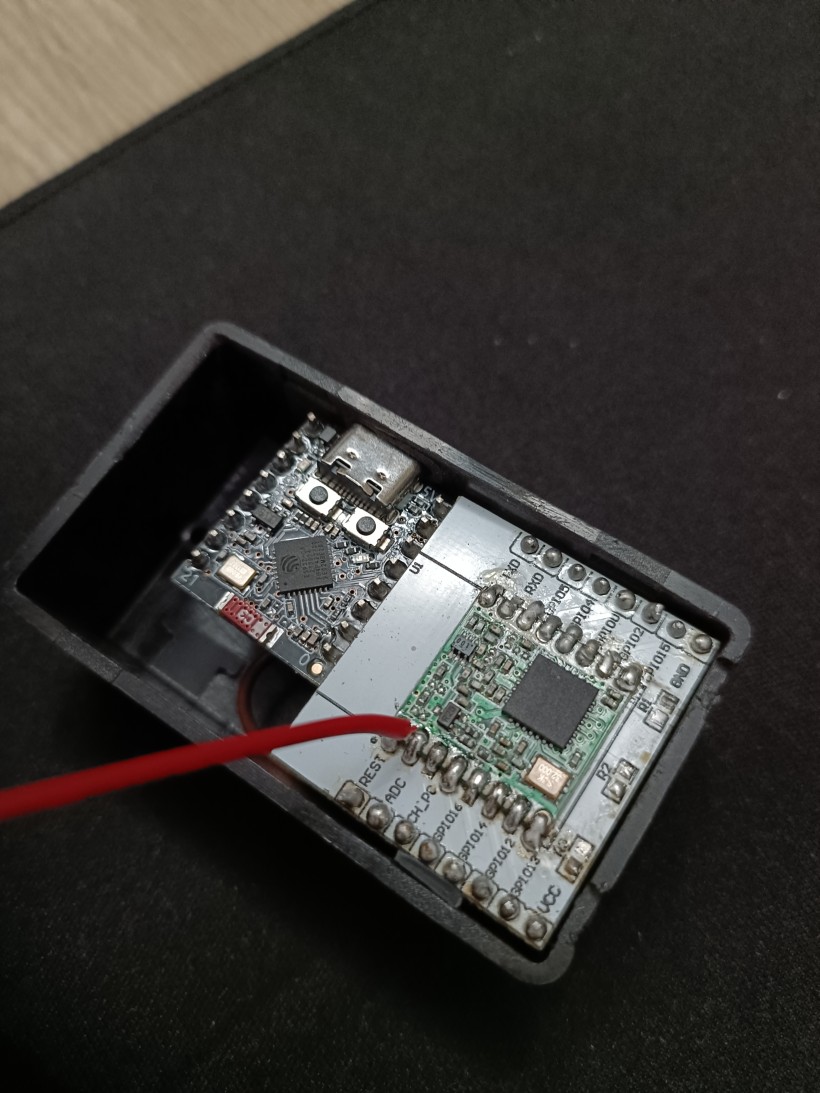
Because there is no standard firmware available for this custom hardware, I created a fork from the Meshcore repository: https://github.com/BramNH/MeshCore-esp32c3-sx1276
Development was done in VSCode with the Platformio extension (to be able to build with the esp-idf). All that had to be done was adding a new variant to build (including a build config .ini file and a target header and source file). The build config for this variant can be found at: variants/esp32c3_supermini_sx1276/platformio.ini
[ESP32C3_SuperMini_sx1276]
extends = esp32_base
board = lolin_c3_mini

build_flags =
  ${esp32_base.build_flags}

  ; === Variant include ===
  -I variants/esp32c3_supermini_sx1276

  ; ===== Board ID =====
  -D ESP32C3_SUPERMINI

  ; ===== LoRa pins =====
  -D P_LORA_NSS=7
  -D P_LORA_SCLK=4
  -D P_LORA_MISO=5
  -D P_LORA_MOSI=6
  -D P_LORA_DIO_0=2
  -D P_LORA_DIO_1=RADIOLIB_NC
  -D P_LORA_RESET=10

  ; enable verbose RadioLib debug output for temporary troubleshooting
  ; -D RADIOLIB_DEBUG
  ; -D RADIOLIB_DEBUG_SPI

  ; ===== Radio driver =====
  -D RADIO_CLASS=CustomSX1276
  -D WRAPPER_CLASS=CustomSX1276Wrapper

  ; ===== Radio tuning =====
  -D SX127X_CURRENT_LIMIT=120

  -D LORA_TX_POWER=20

build_src_filter =
  ${esp32_base.build_src_filter}
  +<../variants/esp32c3_supermini_sx1276>

lib_deps =
  ${esp32_base.lib_deps}


[env:ESP32C3_SuperMini_sx1276_companion_radio_usb]
extends = ESP32C3_SuperMini_sx1276

build_flags =
  ${ESP32C3_SuperMini_sx1276.build_flags}
  -I examples/companion_radio/ui-new

  ; Companion configuration
  -D MAX_CONTACTS=350
  -D MAX_GROUP_CHANNELS=40

build_src_filter =
  ${ESP32C3_SuperMini_sx1276.build_src_filter}
  +<helpers/ui/MomentaryButton.cpp>
  +<../examples/companion_radio/*.cpp>
  +<../examples/companion_radio/ui-new/*.cpp>

lib_deps =
  ${ESP32C3_SuperMini_sx1276.lib_deps}
  densaugeo/base64 @ ~1.4.0
I copied the platformio.ini, target.cpp and target.h files from another variant: variants/lilygo_t3s3_sx1276. No changes were needed in the header file. But the header file required the SPI class to be changed.
variants/esp32c3_supermini_sx1276/target.cpp required the SPIClass to be initialized with FSPI static SPIClass spi(FSPI);. Otherwise the SPI communication did not work for the ESP32C3 SuperMini with the SX1276.
Home Assistant integration configuration
After building and flashing the code on the ESP32, connect the ESP32 via USB to the Home Assistant server. Make sure the USB device is available within the Docker container. Add the following to your Docker compose file:
homeassistant:
    devices:
      - /dev/ttyACM2:/dev/ttyACM2
If needed, you can change the USB port of the Serial Companion communication with the Meshcore integration in /home-assistant/.storage/core.config_entries
Hardware
- ESP32-C3 SuperMini
- RFM95 (SX1276) LoRa module
- A breakout board for standard header pins
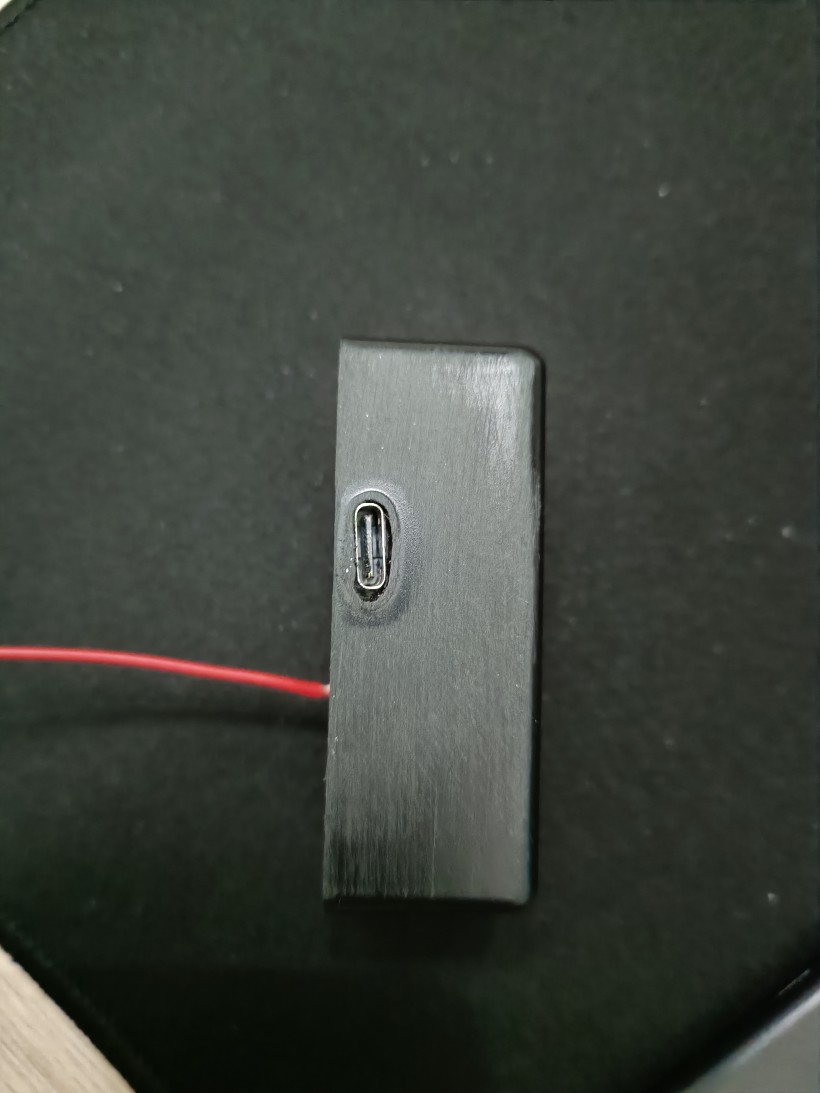
- Old casing I had lying around